macOS, Windows, Linux
A tool for magneto-optical FTIR data analysis
Magneto-Optical Detective is a desktop app for magneto-optical spectroscopy. Load a field sweep measured with Bruker OPUS, look at it as R(B)/R(0) maps and stacked spectra, pick the Landau-level transitions, fit a model to them and export the figure at the size the journal asks for.

What it does
One window for the whole analysis of a sweep, from the raw spectra to the fitted parameters and the printed figure.
-
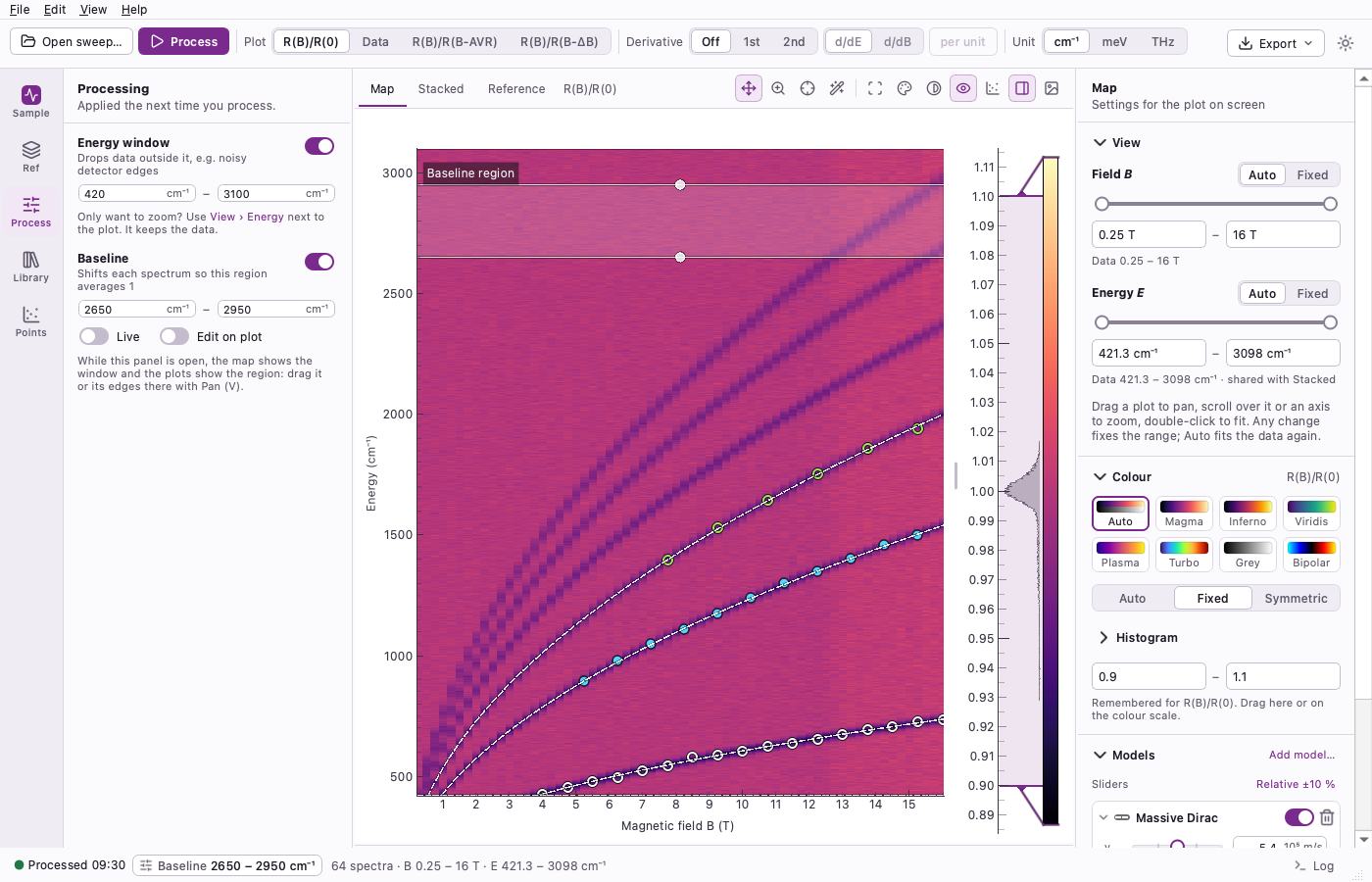
Maps from a sweep
Drop a folder of OPUS files or OPUS-macro text files. The fields are read from the file names, the zero-field drift is corrected, and Process draws R(B)/R(0), the data, R(B)/R(B-AVR) and R(B)/R(B-ΔB), with 1st and 2nd derivatives along energy or field. Processing
-
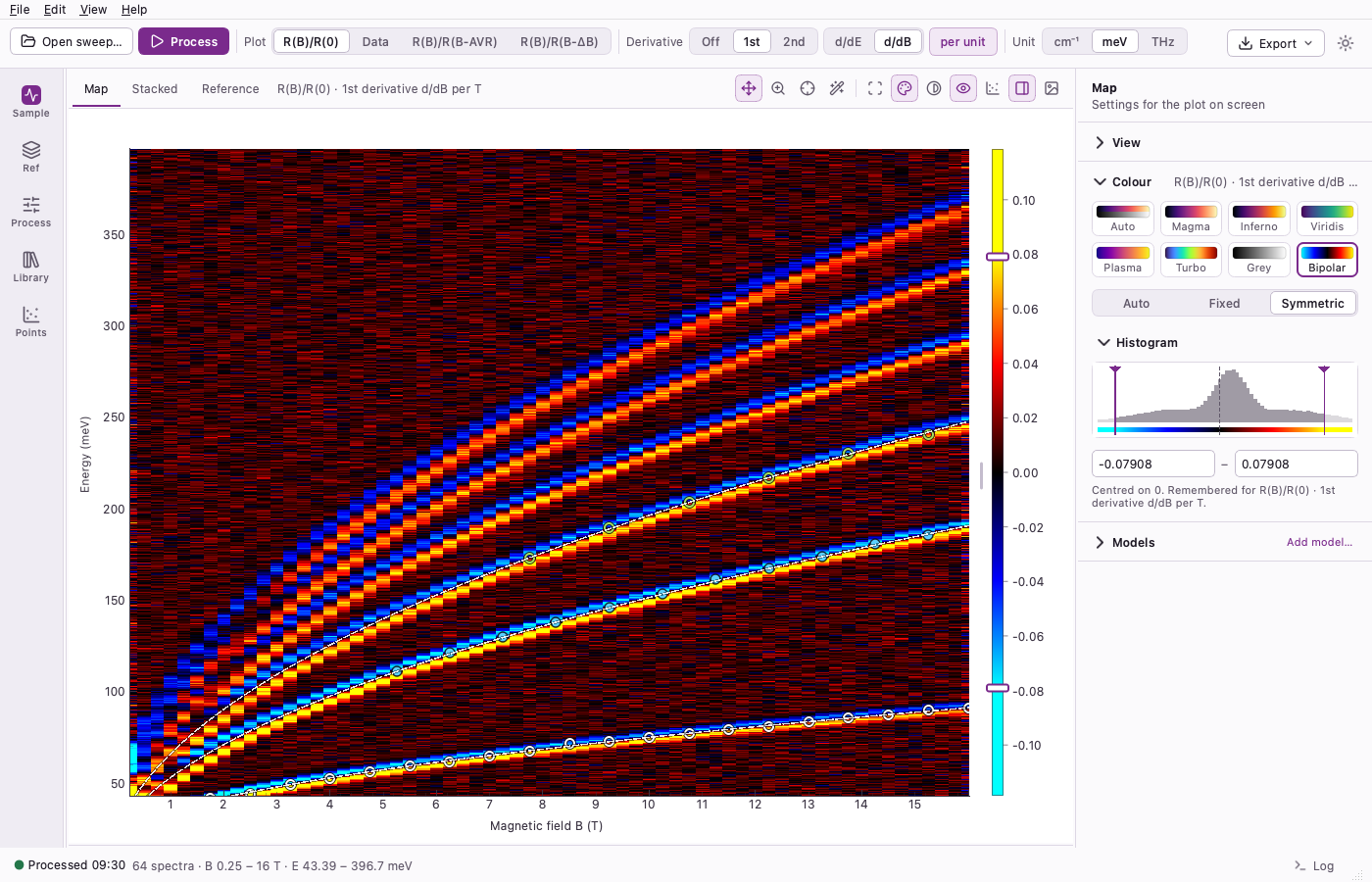
Live units, clear colours
Switch between cm⁻¹, meV and THz at any time: maps, axes, ranges, picked points, models and exports change at once, without processing again. Seven colour maps, with levels kept per plot. Viewing
-
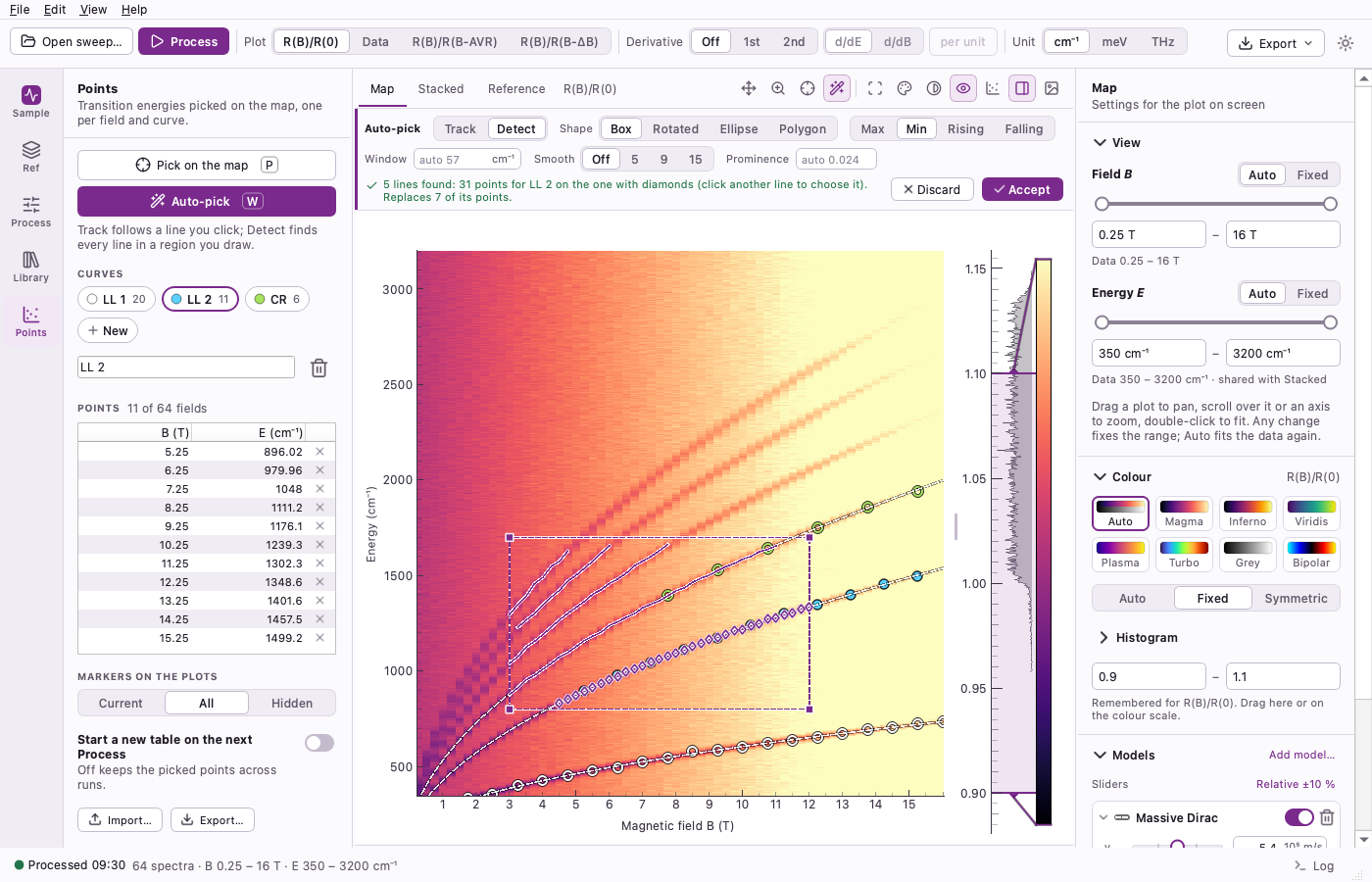
Pick the transitions
Click the map to record a transition energy at a field, or let auto-pick follow a line field by field or find every line in a region. Every edit can be undone. Picking points
-
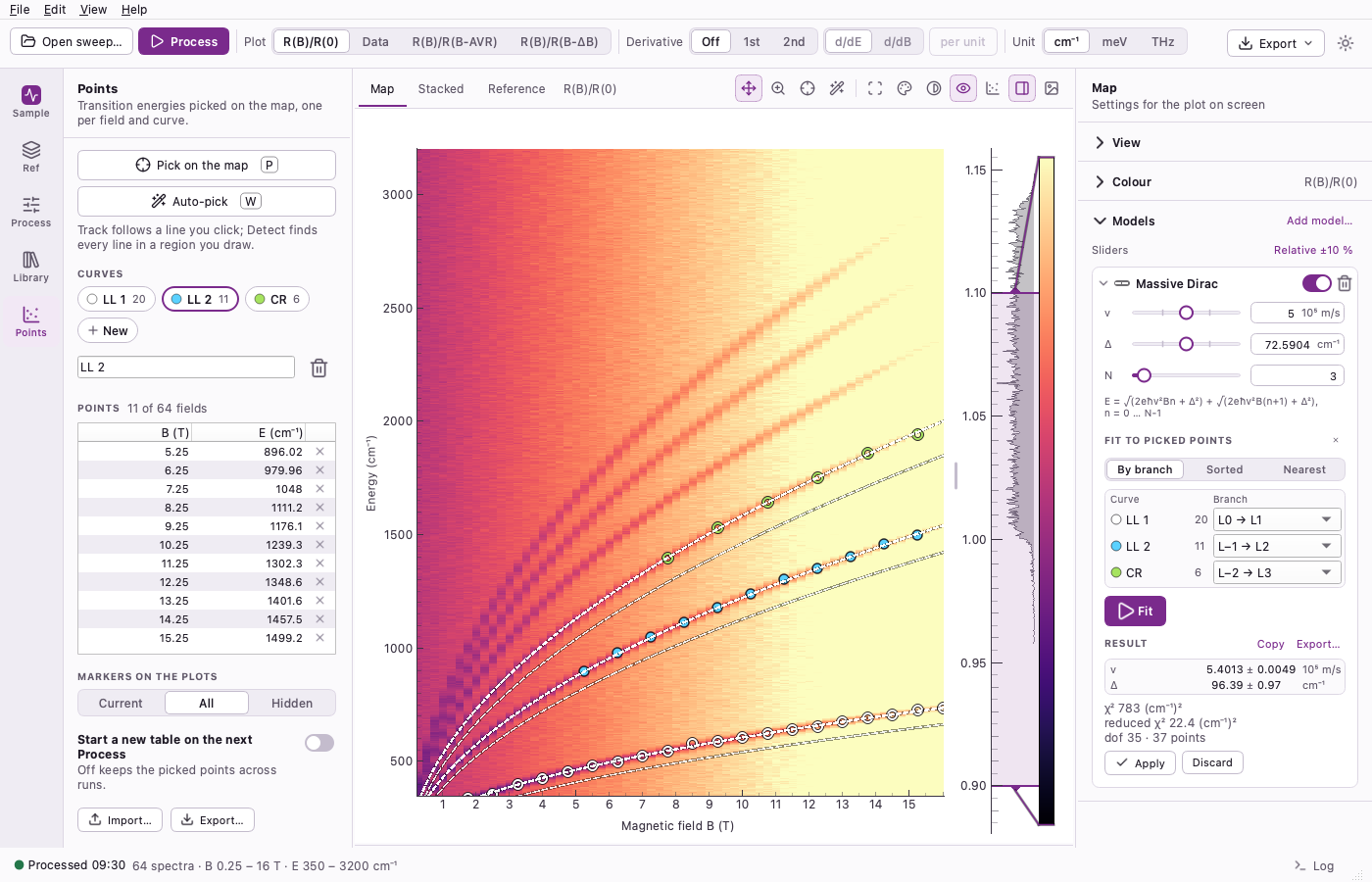
Fit models
Massive Dirac transitions, Zeeman or magnon branches with optional coupling, or your own expression in B. Fit them to the picked curves and read every parameter as value ± σ, with χ². Models and fitting
-
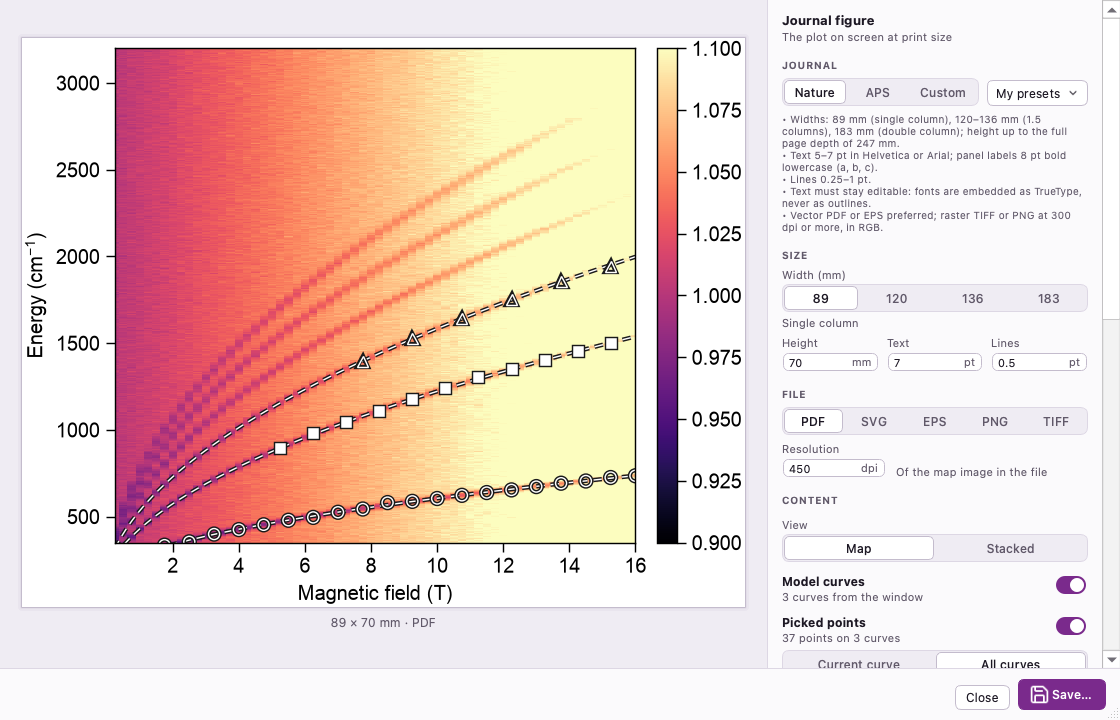
Journal figures
Nature, APS or your own sizes in mm, text and lines in pt. PDF, SVG and EPS keep their text editable; PNG and TIFF carry the dpi. The preview follows the main window live. Journal figures
-
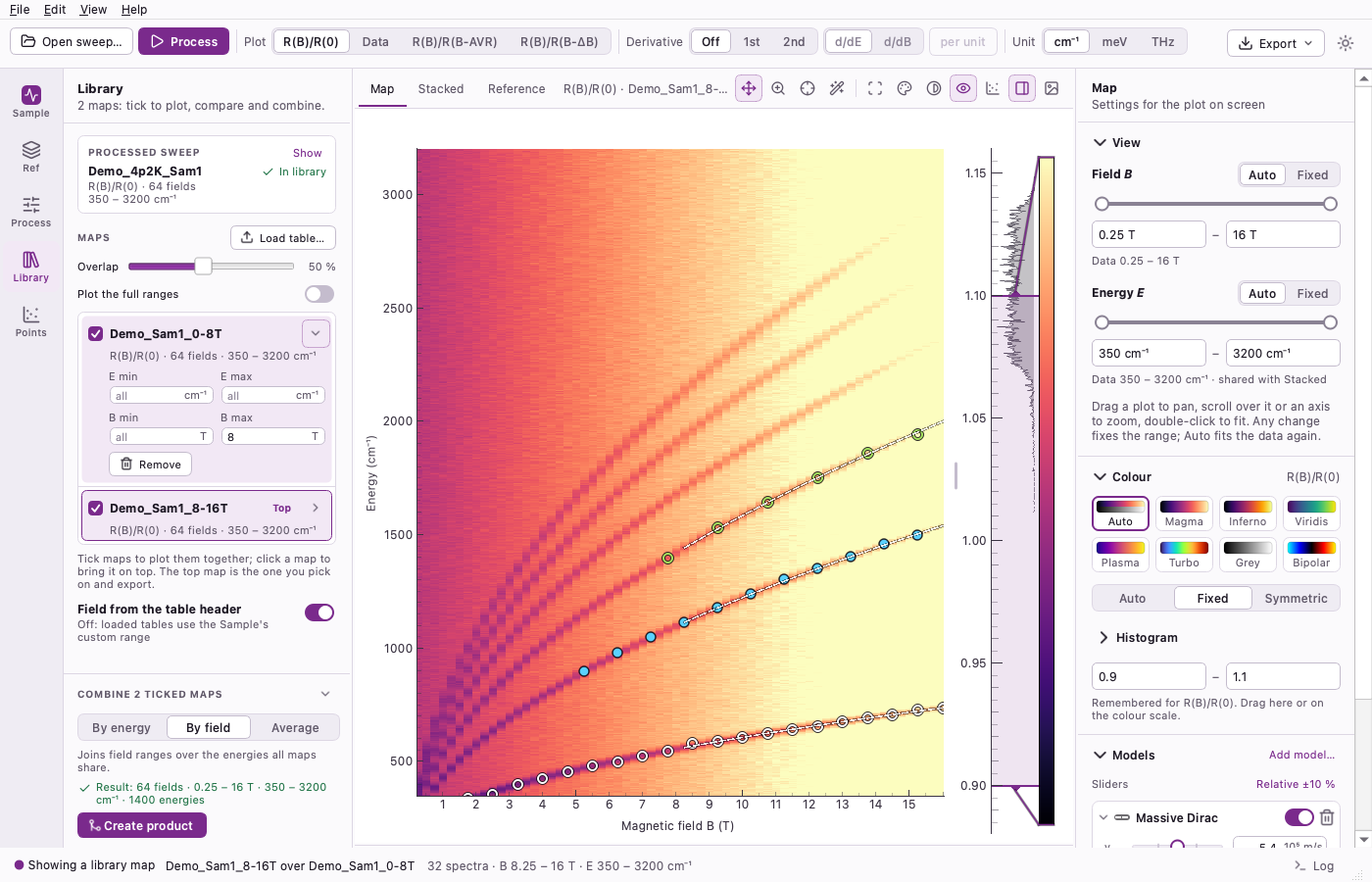
Combine measurements
Keep processed maps in the library, then join spectral ranges such as FIR and MIR, join field ranges, or average repeated sweeps. Library


Good to know
- Reads OPUS directlyOPUS binary files (
*.0,*.1, …) or the two-column text files of the OPUS export macro. - Plain tables outMaps, points and fit results as tab-separated text, with the energy unit in the header.
- Remembers your choicesUnits, ranges, colours and the window layout are kept between sessions.
- Runs offlineEverything happens on your computer; the app needs no network connection, apart from a daily update check you can switch off in the Help menu.
Download
Standalone apps: unpack the archive and start the app. Python is not needed.
-
macOS
macOS 15 or newer on Apple silicon
Download for macOS mag-opt-detective-macos.zip -
Windows
Windows 10 or 11, 64-bit
Download for Windows mag-opt-detective-windows.zip -
Linux
64-bit, glibc 2.39 or newer
Download for Linux mag-opt-detective-linux.tar.gz
System requirements, opening the app the first time, and all releases
Using it for an analysis in a publication? Please cite Magneto-Optical Detective. It is free software under the GNU GPL v3.